
A note from Luke. Windows setup trivia that changes every few months. I mostly use this blog as my own reference anyway, so I had an AI draft this one instead of retyping the same registry commands again.
Get a local account #
Disable or unplug the network before you start. If setup detects a live connection at the network screen, it skips straight past the offline option regardless of the bypass key. Reconnect after install if you want.
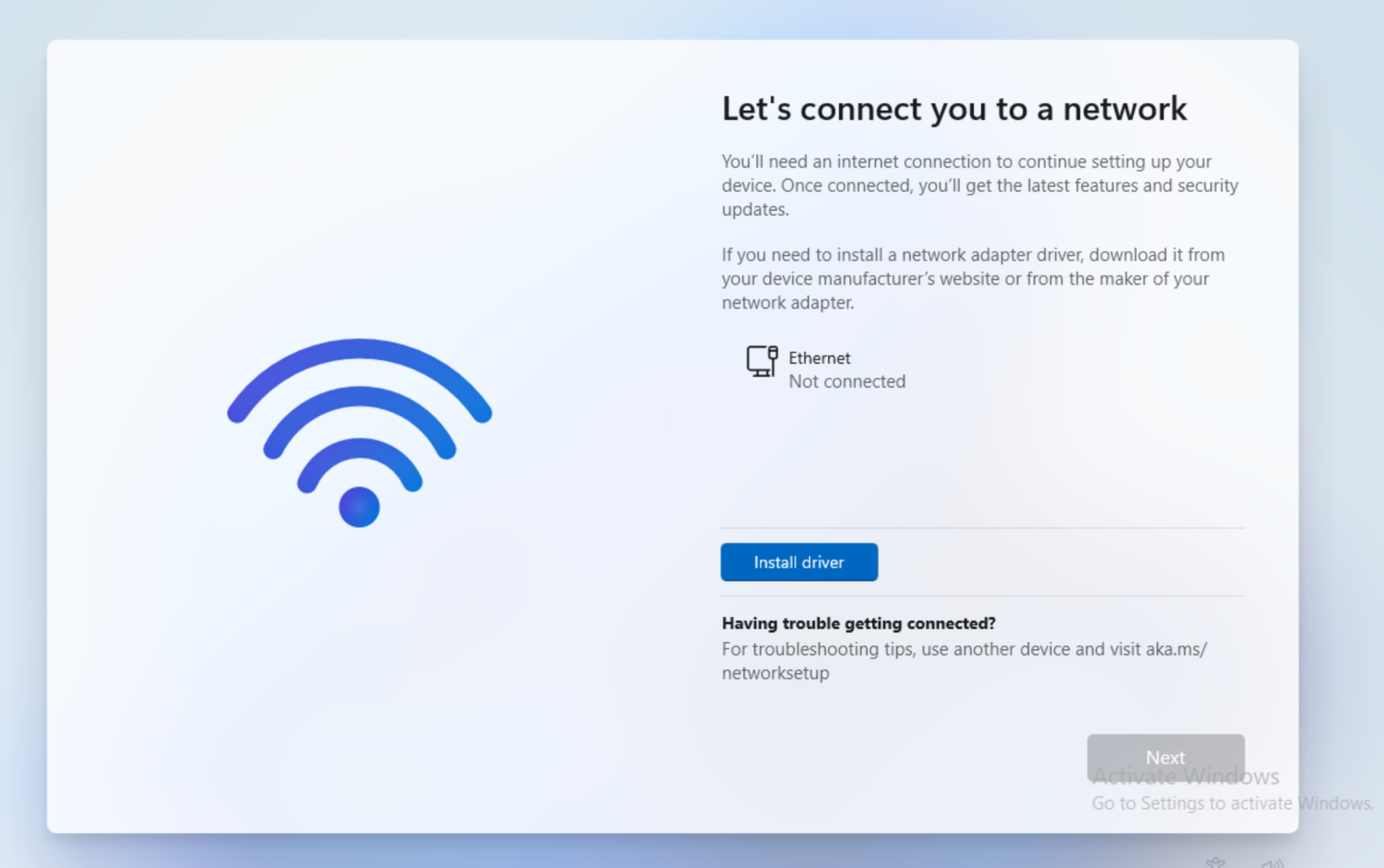
At the “Let’s connect you to a network” screen, open a command prompt with Shift + F10.
reg add HKLM\SOFTWARE\Microsoft\Windows\CurrentVersion\OOBE /v BypassNRO /t REG_DWORD /d 1 /f
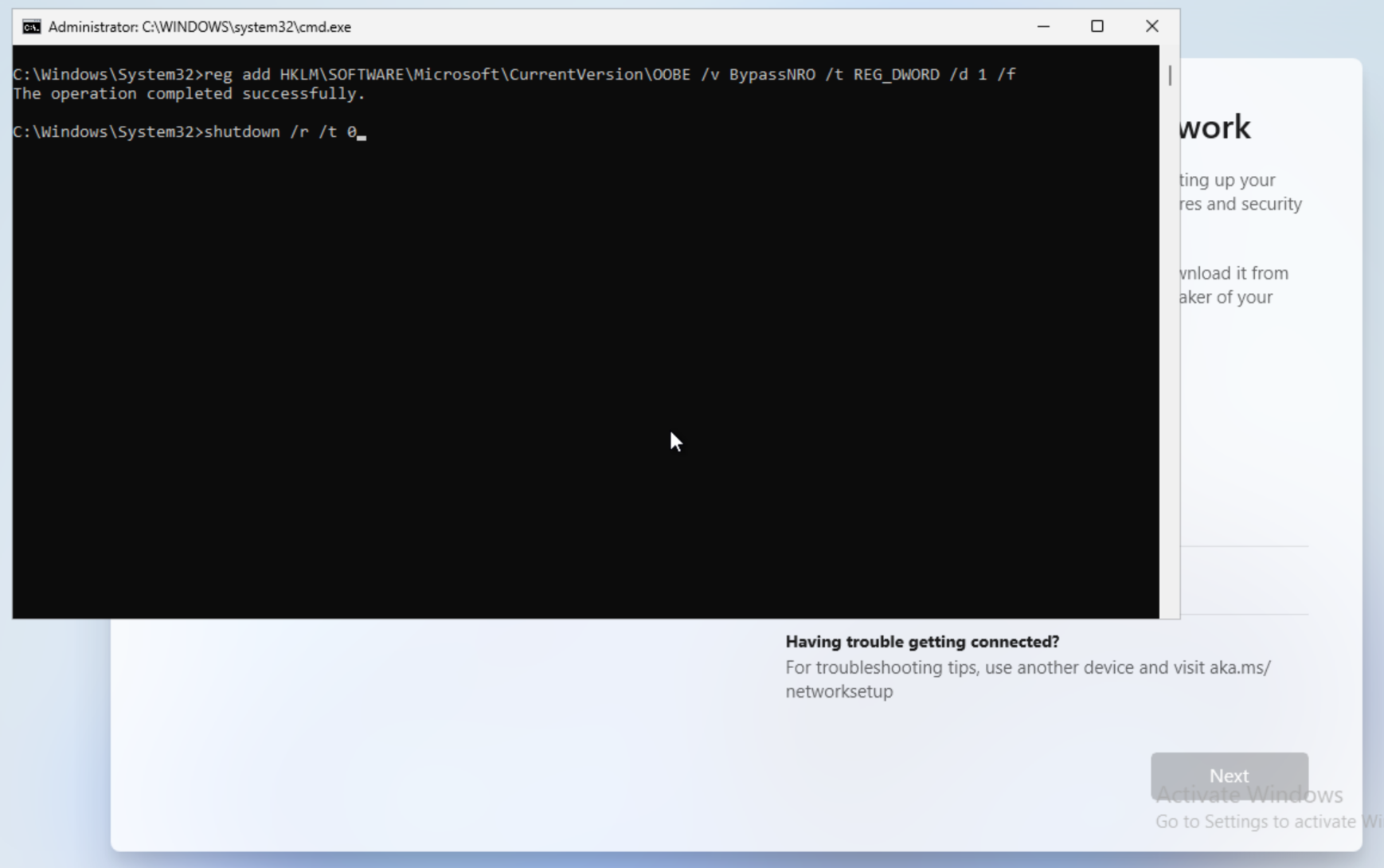
shutdown /r /t 0
Back in OOBE, the network screen now has an “I don’t have internet” link. Click it, then “Continue with limited setup.” You get a normal local account prompt, username/password/security questions, no Microsoft account.
While you’re in the command prompt, this one also prevents the online-account screens from reappearing later.
reg add HKLM\Software\Microsoft\Windows\CurrentVersion\OOBE /v HideOnlineAccountScreens /t REG_DWORD /d 1 /f
What’s already dead #
start ms-cxh:localonly, the main method for a couple years. Killed as of builds 26220.6772 / 26120.6772.oobe\bypassnroas a bare command. Patched out too. The registry key it used to set still works when set directly (above). Microsoft just removed the wrapper.
Expect the registry method to get patched eventually too. Not a permanent fix.
Baking the bypass into the install media #
Rebuilding your install USB anyway (old hardware failing TPM/Secure Boot/RAM checks)? Use Rufus instead of running the registry commands manually during setup. Its “Windows User Experience” dialog has checkboxes for these things.
- Remove requirement for 4GB+ RAM / Secure Boot / TPM 2.0
- Remove requirement for an online Microsoft account
- Auto-create a local account
Patches the install media directly instead of depending on a registry key at the live OOBE screen. Holds up against Microsoft’s monthly updates better than the Shift+F10 method does.
Fixing the hardware checks too #
Old hardware also blocked on TPM/Secure Boot/RAM? Registry equivalent of Rufus’s checkboxes, same Shift+F10 session.
HKEY_LOCAL_MACHINE\SYSTEM\Setup\LabConfig
    BypassTPMCheck          (DWORD) = 1
    BypassSecureBootCheck   (DWORD) = 1
    BypassRAMCheck          (DWORD) = 1
Dev/test convenience, not something to lean on for a production fleet.
Background #
Microsoft requires that you sign into a Microsoft account during setup. Every build closes off whatever got you through last time. Treat this as “what works as of August 2026,” not a permanent answer.
The BypassNRO registry mechanism has survived every patch so far. Microsoft keeps changing which command or key exposes it.
Bottom line #
Shift+F10, reg add ... BypassNRO, reboot, “I don’t have internet.” If Microsoft’s killed that by the time you’re reading this, Rufus doesn’t depend on that specific registry key or command still being present in the current build.
Legal / EULA note #
Couldn’t find EULA language against this specifically. Microsoft’s own reasoning for killing ms-cxh:localonly/bypassnro (build 26220.6772, Oct 2025) was support and configuration, not licensing. Devices “inadvertently skip critical setup screens” was the stated problem.
Local accounts themselves are clearly allowed. Pro/Enterprise/Education get “Domain join instead” as an official, no-workaround path. It’s the unofficial OOBE commands Microsoft’s patching, not local accounts as a concept.
Not a lawyer, didn’t read the full EULA text line by line. This is “what I found,” not legal advice.
REFERENCES #
https://pureinfotech.com/bypass-microsoft-account-setup-windows-11/
https://pureinfotech.com/bypass-internet-connection-install-windows-11/
https://www.xda-developers.com/windows-11-without-microsoft-account-possible-2026/
https://itproexpert.com/windows-11-install-local-account-setup-bypass/